Introduction
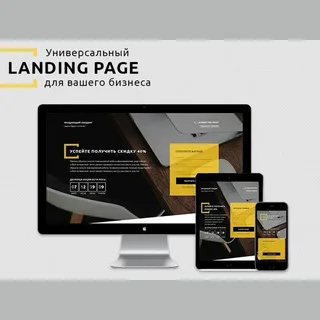
People access websites using phones, tablets, laptops, and large screens. Screen sizes and input methods vary across devices, and the needs of the target audience differ. This presents a challenge for UI/UX designers: how can a single interface work seamlessly across all screens? Responsive web design in UI/UX solves this problem. This article explores its principles, benefits, and implementation.
Understanding Responsive Web Design
Responsive web design is a practice where a website dynamically adjusts its layout and elements according to the screen size it is being viewed on, ensuring a consistent user experience.
Instead of designing separately for desktop or mobile, designers create one scalable system. This system automatically adapts using fluid grids, scalable images, and media queries. Responsive design is user-centered, allowing access to the same content formatted appropriately for any device.
The Role of UI and UX in Responsive Web Design
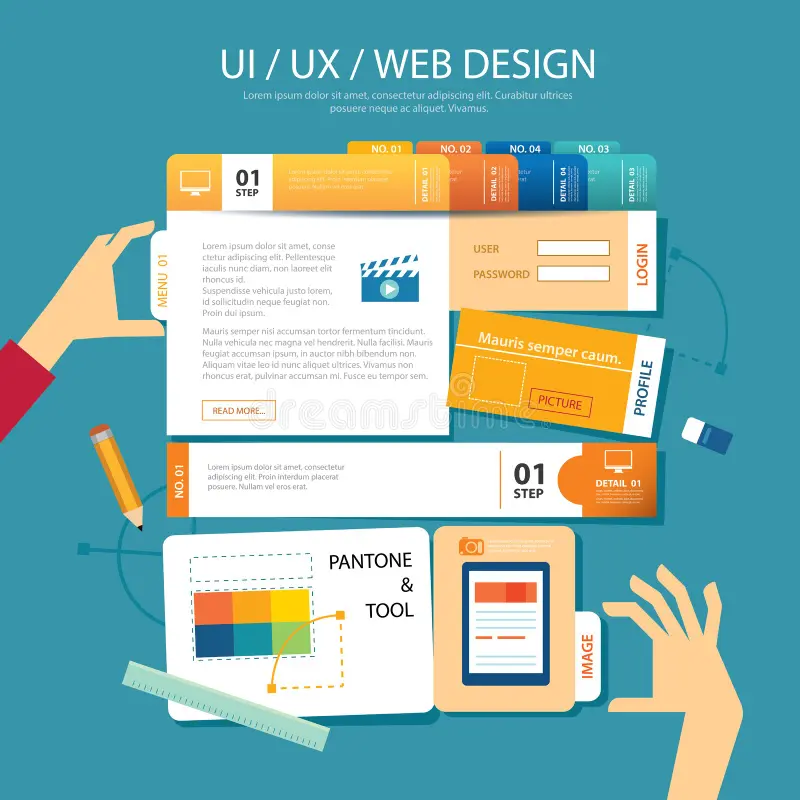
Responsive design sits at the intersection of UI and UX, relying on both disciplines for success.
Role of UI in Responsive Design
User interface (UI) design focuses on graphical elements such as buttons, text, spacing, icons, and color schemes. UI designers manage layout reflows, component resizing, overlay navigation menus, scaling buttons for touch, and varying font sizes.
UX Viewpoint in Responsive Design
User experience (UX) focuses on user behavior and workflow. UX designers observe how users interact with content on different devices, including scrolling habits, task completion, and comfort level. UX considerations include hiding unnecessary elements, navigation, and touch interactions replacing mouse actions.
Responsive design is effective only when UI and UX principles are integrated.
Principles of Responsive Web Design
Certain principles guide responsive web design to ensure consistency across devices.
Fluid Grid Systems
Layouts use relative units instead of fixed values. Columns resize proportionally according to screen width.
Flexible Images and Media
Images scale within their containers. Media elements never overflow or disrupt layouts, ensuring proper display and load times across devices.
Media Queries
Media queries dynamically adjust CSS styles based on screen width. Designers define “breakpoints” for layout transitions, based on user behavior rather than device type.
Prioritization for Smaller Screens
Smaller screens require prioritization. Designers determine which content remains front and center and which moves below or is hidden, ensuring key information is prominent.
UI/UX Design Layout Patterns – Responsiveness
Designers employ specific layout patterns to maintain responsiveness.
One-Column Layouts
Mobile screens often use single-column layouts, presenting content vertically for easy scrolling.
Multi-Column to Single-Column Transitions
Desktop layouts with multiple columns collapse into a single column on smaller screens.
Off-Canvas Navigation
Menus slide in from the side on mobile, preserving screen space.
Flexible Cards and Components
Cards and UI components scale and reposition for different breakpoints while maintaining consistent spacing.
Typography in Responsive UI/UX
Text plays a critical role in usability.
- Scalable Font Sizes: Text adjusts according to screen size.
- Controlled Line Length: Ensures readability on smaller screens.
- Preserved Hierarchy: Headings, subheadings, and paragraph separation improve scanning.
Responsive typography enhances comprehension across devices.
Interaction Design & Touch Interaction
Input differences are considered in responsive design.
- Touch-Friendly Buttons: Larger buttons and spacing improve usability.
- Replace Hover Actions: Tap interactions replace hover functionality.
- Forms: Fields adapt with mobile-friendly keyboards.
Performance & Responsive Design
Performance is vital for user experience.
- Optimized Resource Loading: Smaller images load on mobile, larger resources only when needed.
- Faster Loading Times: Reduces bounce rate and improves engagement.
Collaboration between designers and developers ensures speed and efficiency.
Accessibility in Responsive UI/UX
Responsive design enhances accessibility:
- Text resizing without breaking layout.
- Large, touch-friendly targets.
- Sufficient color contrast for readability.
- Support for users with visual, motor, or cognitive disabilities.
Common Errors in Responsive Design
Designers must avoid these pitfalls:
Desktop-First Only
Designing solely for desktops can create messy mobile layouts. Mobile-first approaches improve clarity.
Hiding Critical Content
Important information should resize rather than disappear on smaller screens.
Insufficient Device Testing
Browser-only tests are insufficient; real devices ensure functionality for touch, speed, and rotation.
Overloaded Mobile Layouts
Too much information frustrates users; simplicity is key.
Workflow of Responsive Design in UI/UX
A structured workflow ensures quality.
Research and User Analysis
Understand how users access the site to inform layout decisions.
Wireframing per Breakpoint
Plan layout behavior and transitions across screen sizes.
Design Systems and Components
Reusable components maintain consistency across devices.
Cooperation with Developers
Close collaboration ensures responsive logic is correctly implemented.
Responsive Web Design and Business Impact
Responsive design improves business outcomes:
- Longer engagement on websites.
- Higher conversion rates due to easy interactions.
- SEO benefits from mobile-friendly designs.
In competitive markets like Dubai, companies prioritize responsive web design projects.
Responsiveness Tools in UI/UX Design
Designers use tools to support responsiveness:
- Design tools for responsive frames and elements.
- Prototyping tools for interaction simulation.
- Testing tools to preview layouts on devices.
Proficiency in these tools increases efficiency and design accuracy.
Real-World Use Cases of Responsive UI/UX
- E-commerce: Adjust grid views and checkout processes.
- Corporate Websites: Modify navigation and page prioritization.
- Education Platforms: Adapt reading layouts and interaction models.
Each use case applies responsive principles to meet specific goals.